(800) 728 8391


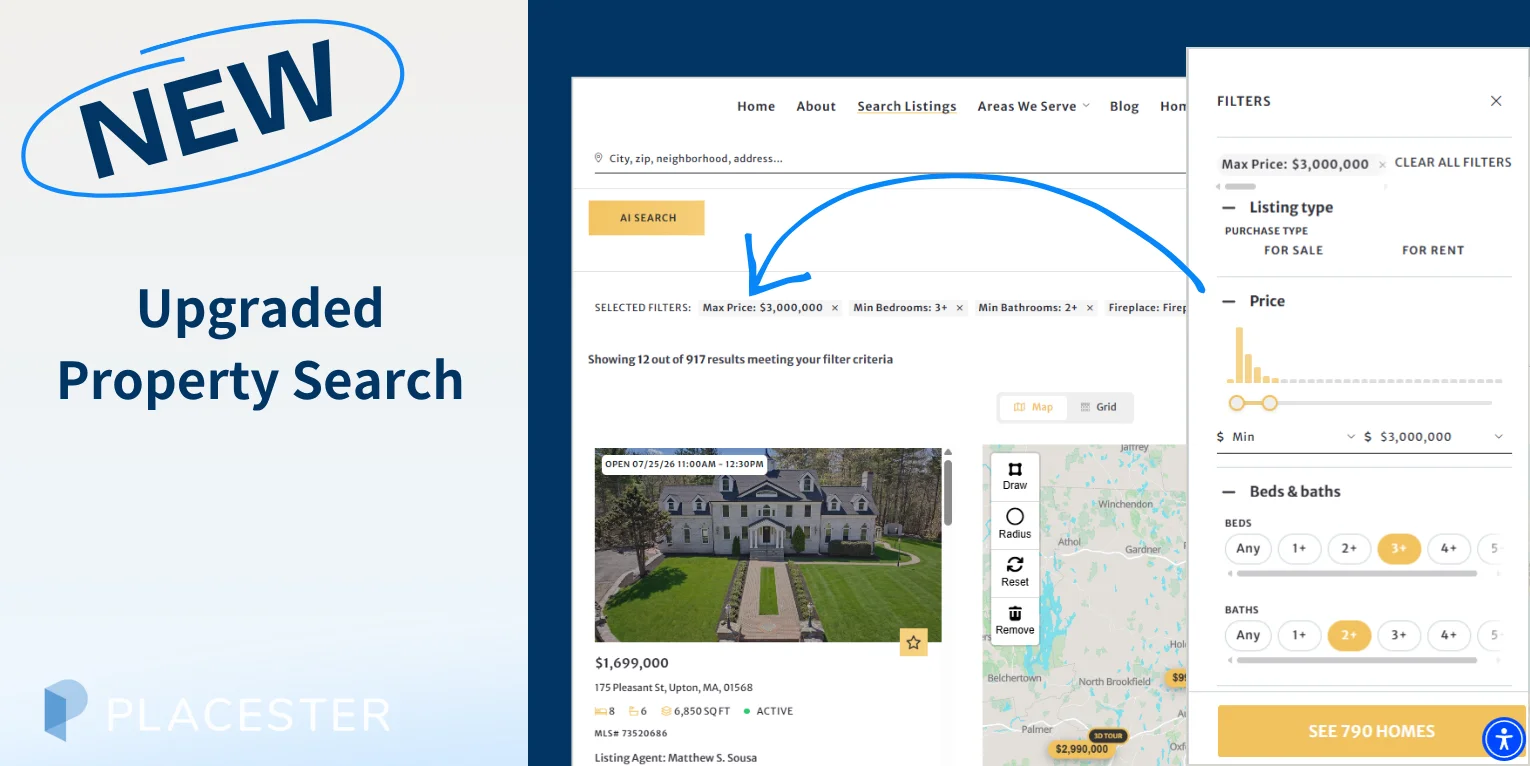
Help your clients find the right property faster with more intuitive, easier-to-use filters.
Property search is one of the most important parts of a real estate website. And when buyers are comparing dozens or even hundreds of listings, finding the right home often comes down to how easily they can narrow down their options.
That’s why we’re introducing Upgraded Property Search, a new search experience for Placester websites that makes it easier for visitors to explore listings and refine their results.
Upgraded Property Search brings search criteria together in a clean, easy-to-navigate panel, with more filters readily available, a visual price range and a live count of matching homes.
Your visitors get an intuitive way to search listings without leaving your website.
More intuitive property filtering
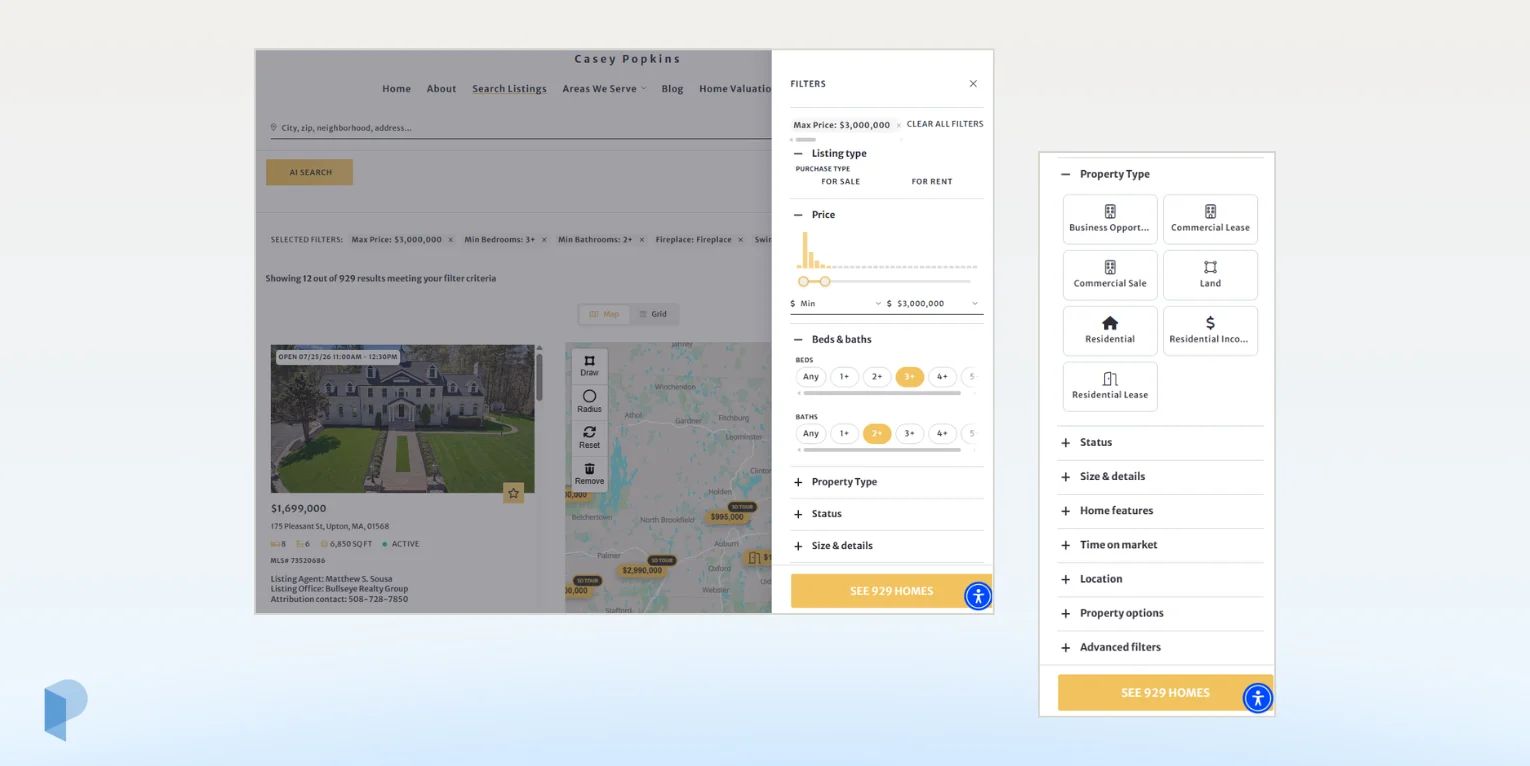
Your future clients can quickly filter listings on your real estate website by criteria including:
- Listing type
- Price
- Beds & baths
- Property type
- Status
- Square footage & lot size
- Year built
- Home features
- Time on market
- County, city, state and neighborhood
- Property options
- MLS ID
Upgraded Property Search makes the experience more responsive. As users adjust their criteria, both the number of matching listings and the results displayed on the page update automatically.
This gives buyers immediate feedback as they refine their search, so they can see how each choice affects the available inventory without repeatedly applying filters or starting over.
Find the right price range visually
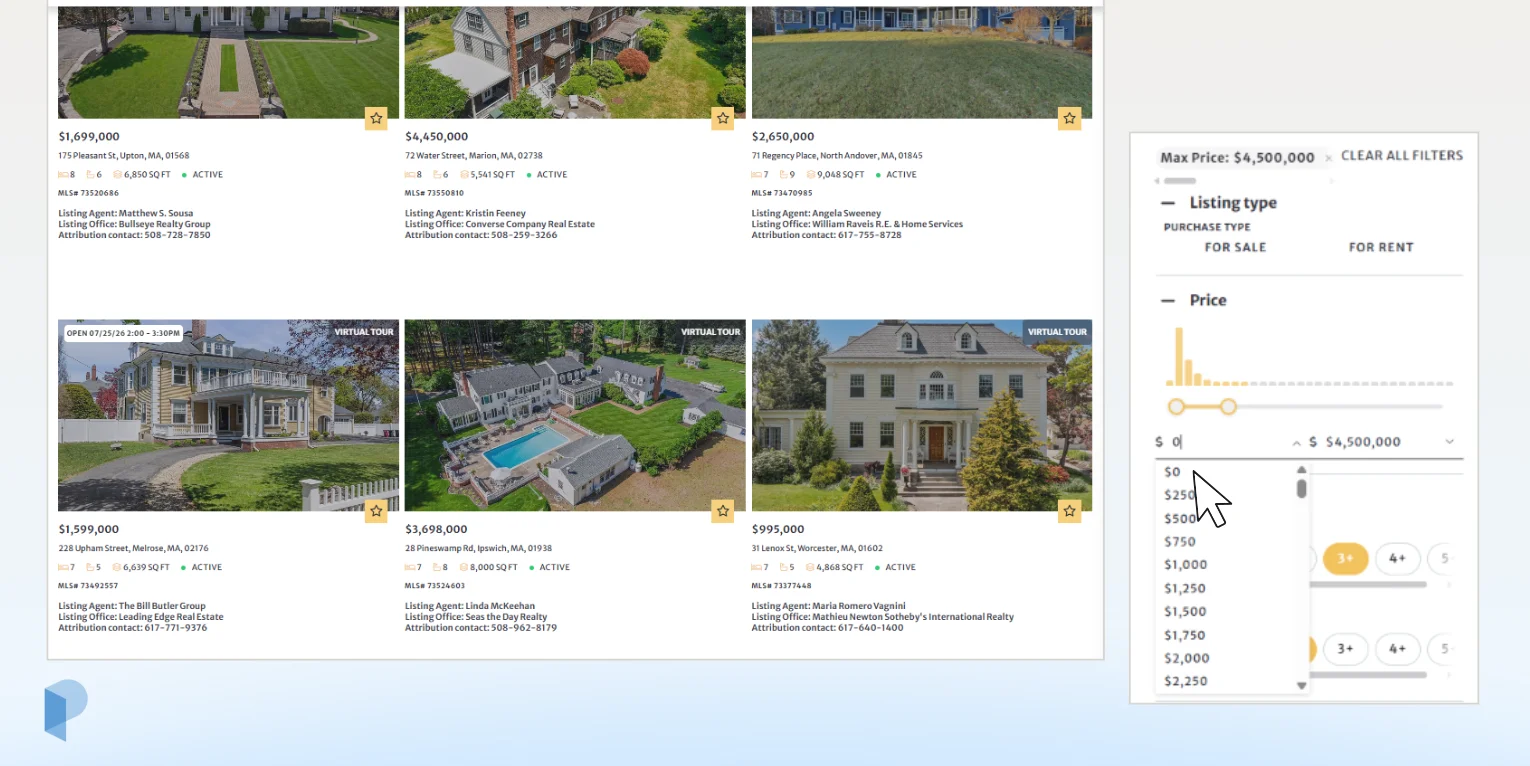
Price is no longer just a pair of Min and Max fields.
The new price histogram shows visitors how available listings are distributed across different price ranges. Users can use the slider or enter a minimum and maximum price to narrow their search.
It’s a small change that gives buyers and sellers more context about the inventory available in their market while they search.
Built for desktop and mobile
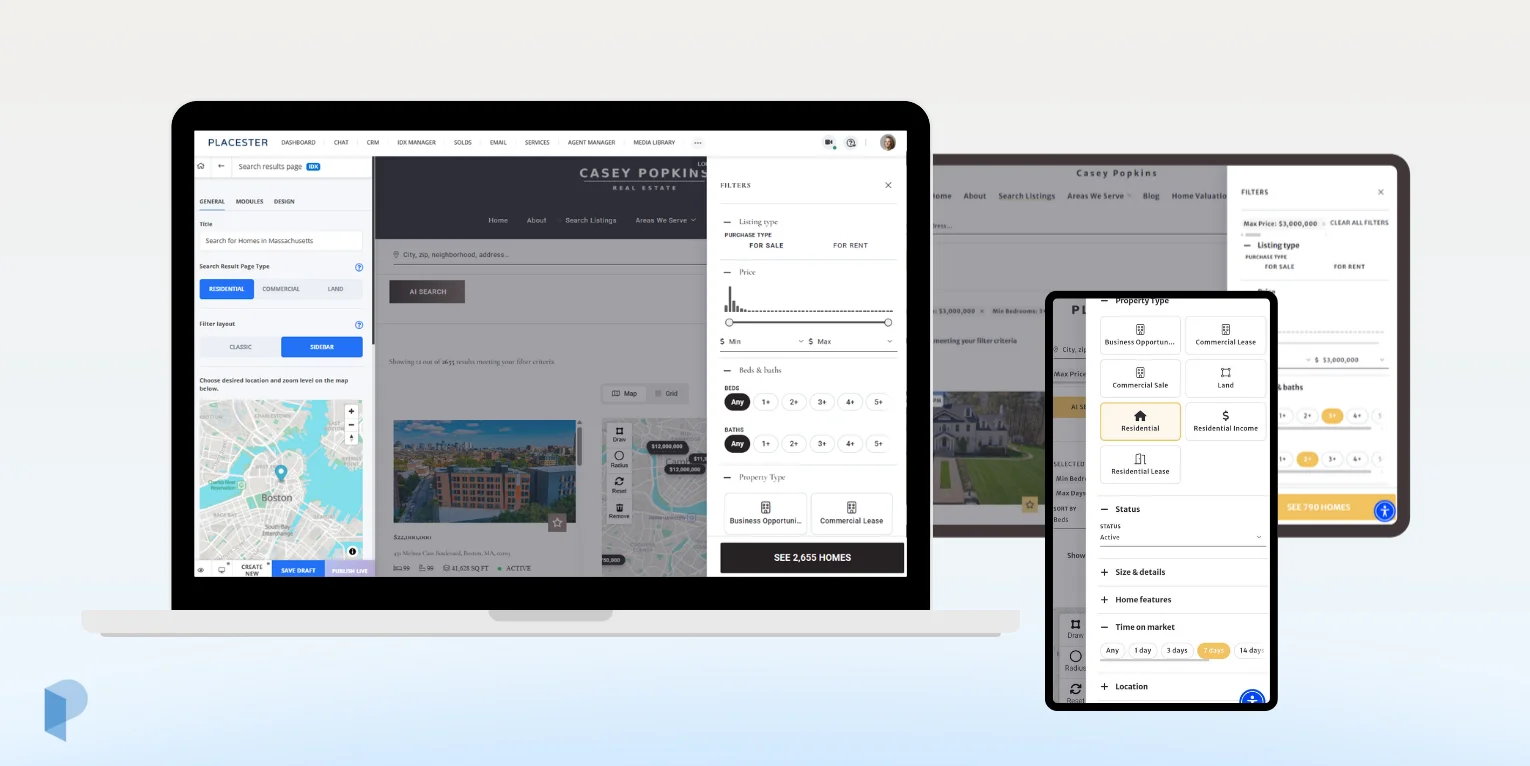
Internet users are used to smooth, sophisticated property search experiences on today’s leading real estate portals. Upgraded Property Search brings that same modern experience to your Placester website across desktop, tablet and mobile.
On desktop, filters are organized in a dedicated sidebar alongside the search results. On smaller screens, they open in a full-height panel designed for mobile browsing, giving users access to the same detailed filtering options without crowding the listing results.
Wherever they search, visitors can easily explore and narrow down your inventory while staying on your website and connected to your brand.
Choose the search experience that works for your website
New Placester websites come with Upgraded Property Search enabled automatically, giving your website users the new search experience from the start.
If you already have a Placester website, your current filter layout won’t change automatically. You can enable it anytime:
Open your website in the Codeless Customizer → Listings → Search Results Page → Filter Layout → Sidebar.
You can switch back to the Classic layout at any time.
And if you’re already using AI Listing Search, the two work together. Your visitors can start by describing what they’re looking for in everyday language, then use the new filters to fine-tune their results.
👉 Ready to try it? Open your Placester website Customizer and switch your Search Results Page filter layout to Sidebar.
👉 New to Placester? Sign up for your free trial today and experience Upgraded Property Search from day one.