(800) 728 8391


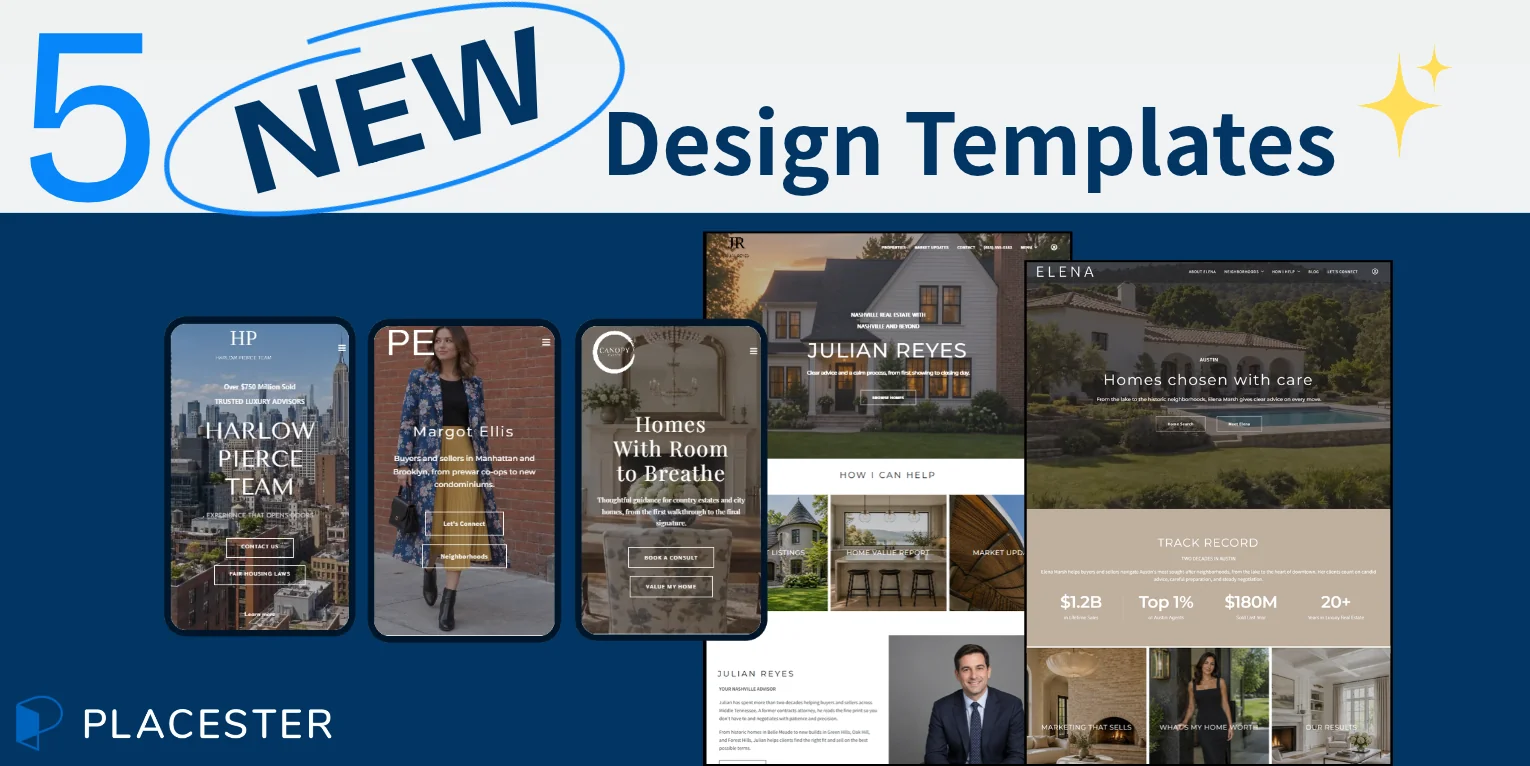
Choose a design you like and see what it looks like with your brand and business details in about 5 minutes.
We’ve just added five new designs to our Real Estate Website Templates page. Each has a different feel, from a homepage that introduces you right away to one that gives your property photos the most space. Take a look at the desktop and mobile previews to see which one feels right for your business.
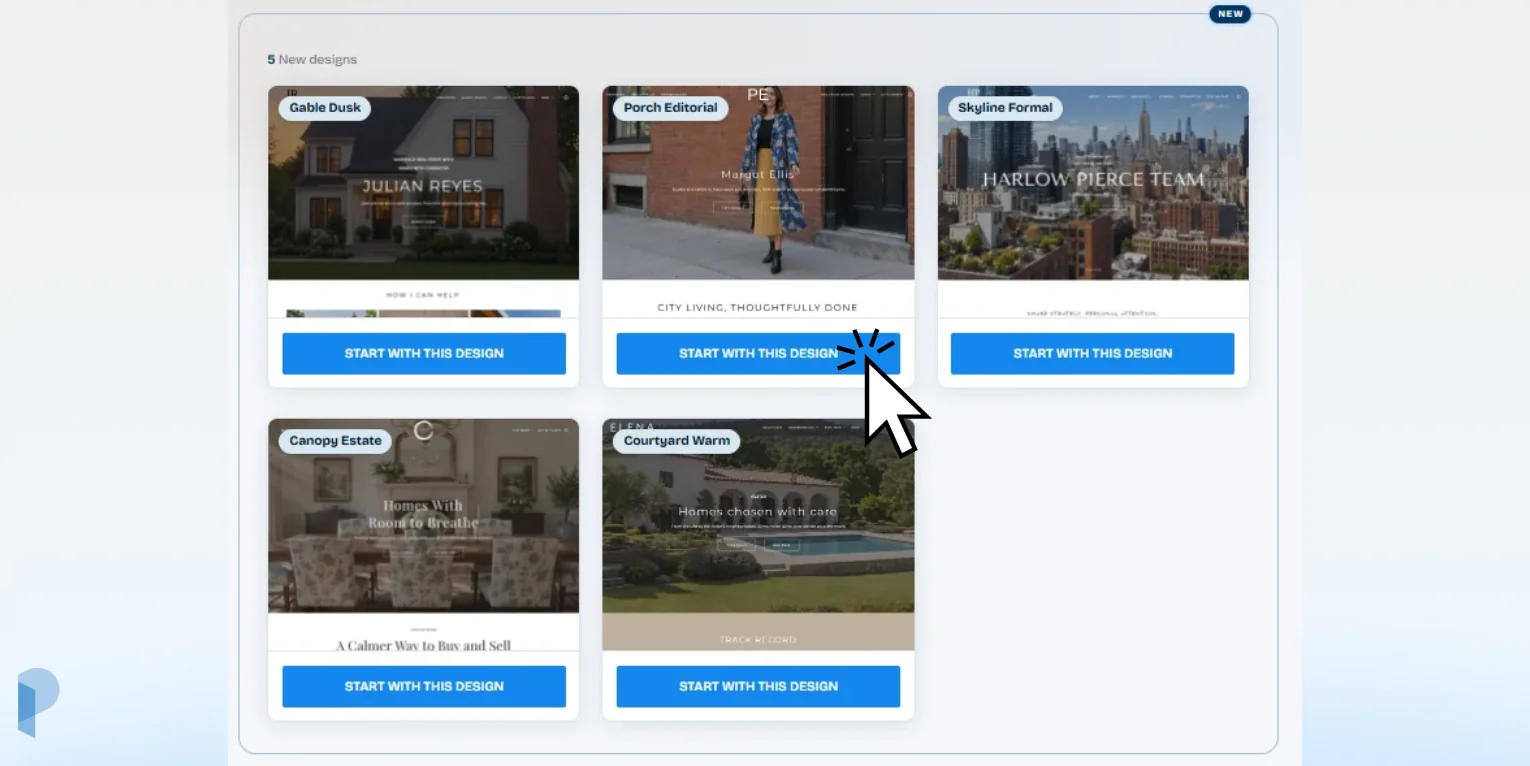
New designs that make a great first impression
We’ve got a mix of styles to suit different tastes and different ways of doing business. Each design has its own colors, fonts and layout, with room to show off what matters most to you, whether that’s your listings, your local market or your own story.
You can compare all the designs and preview each one on desktop or mobile on our Real Estate Website Templates page.
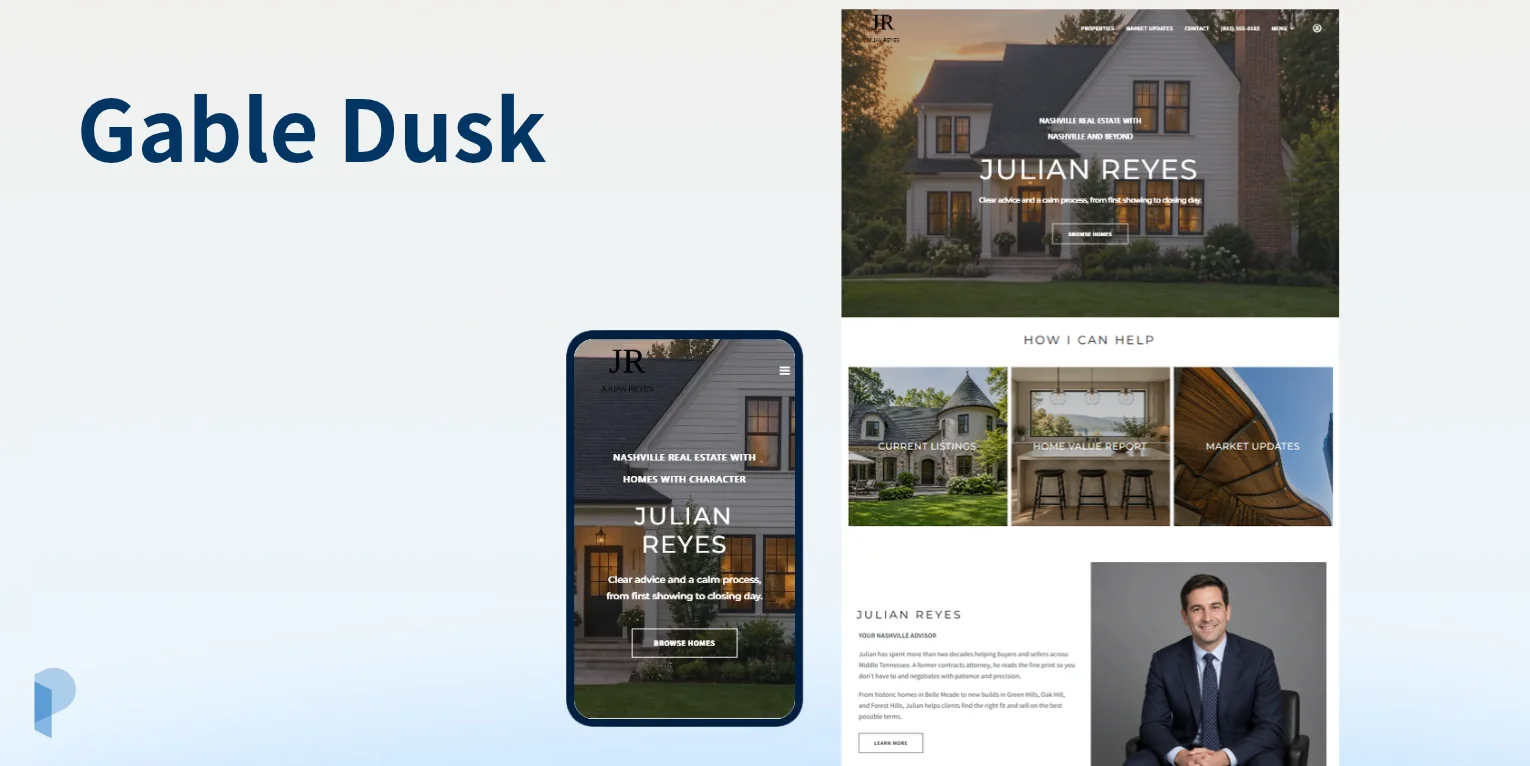
Gable Dusk: Modern and elegant
Gable Dusk pairs dark tones with large property photos that draw attention to the details of a home. It’s a good fit if you sell classic neighborhood homes and want a modern look for your brand.
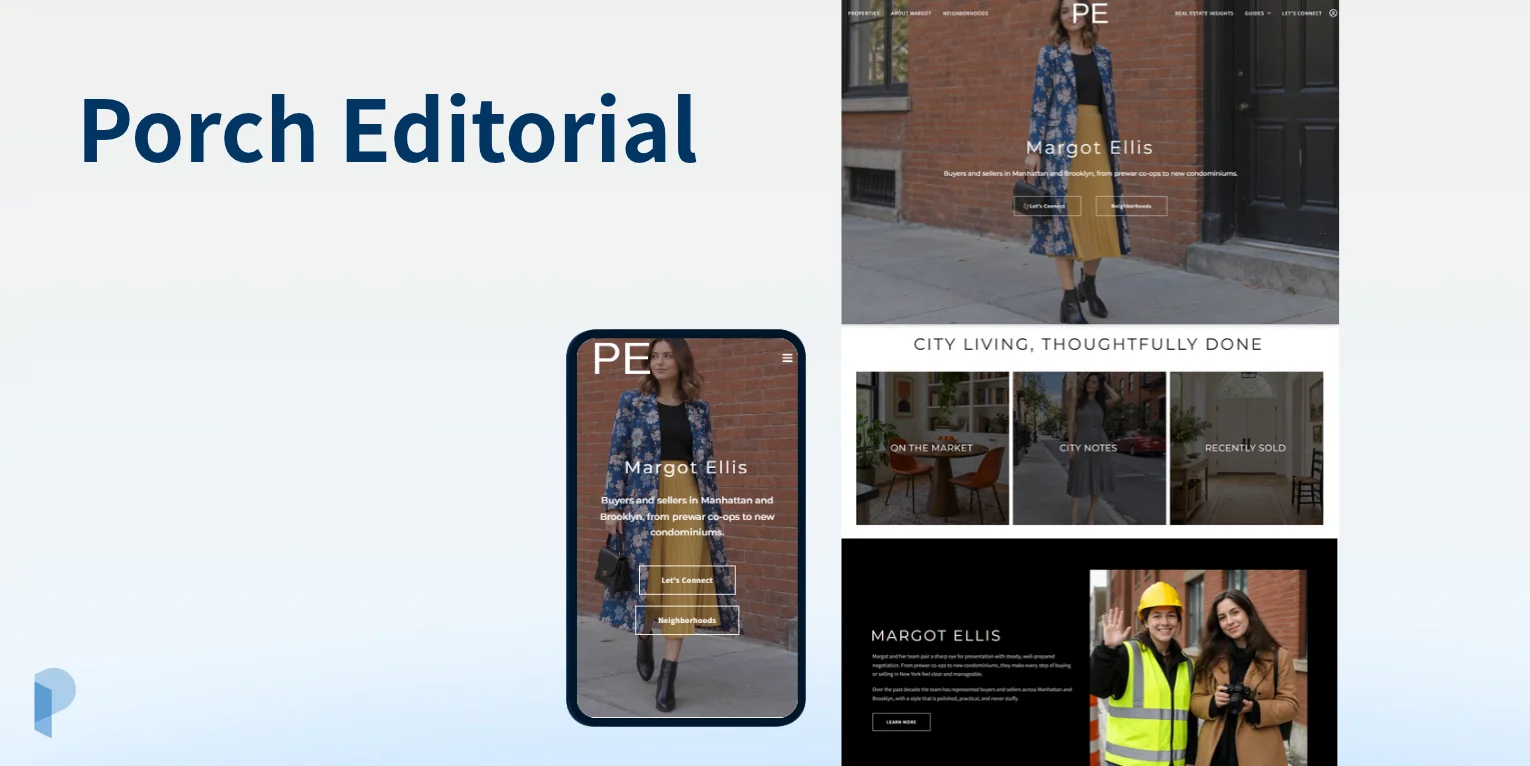
Porch Editorial: Agent in focus
Porch Editorial puts you at the center of the homepage. It gives buyers and sellers a chance to meet you, read your story and get a sense of what it’s like to work with you.
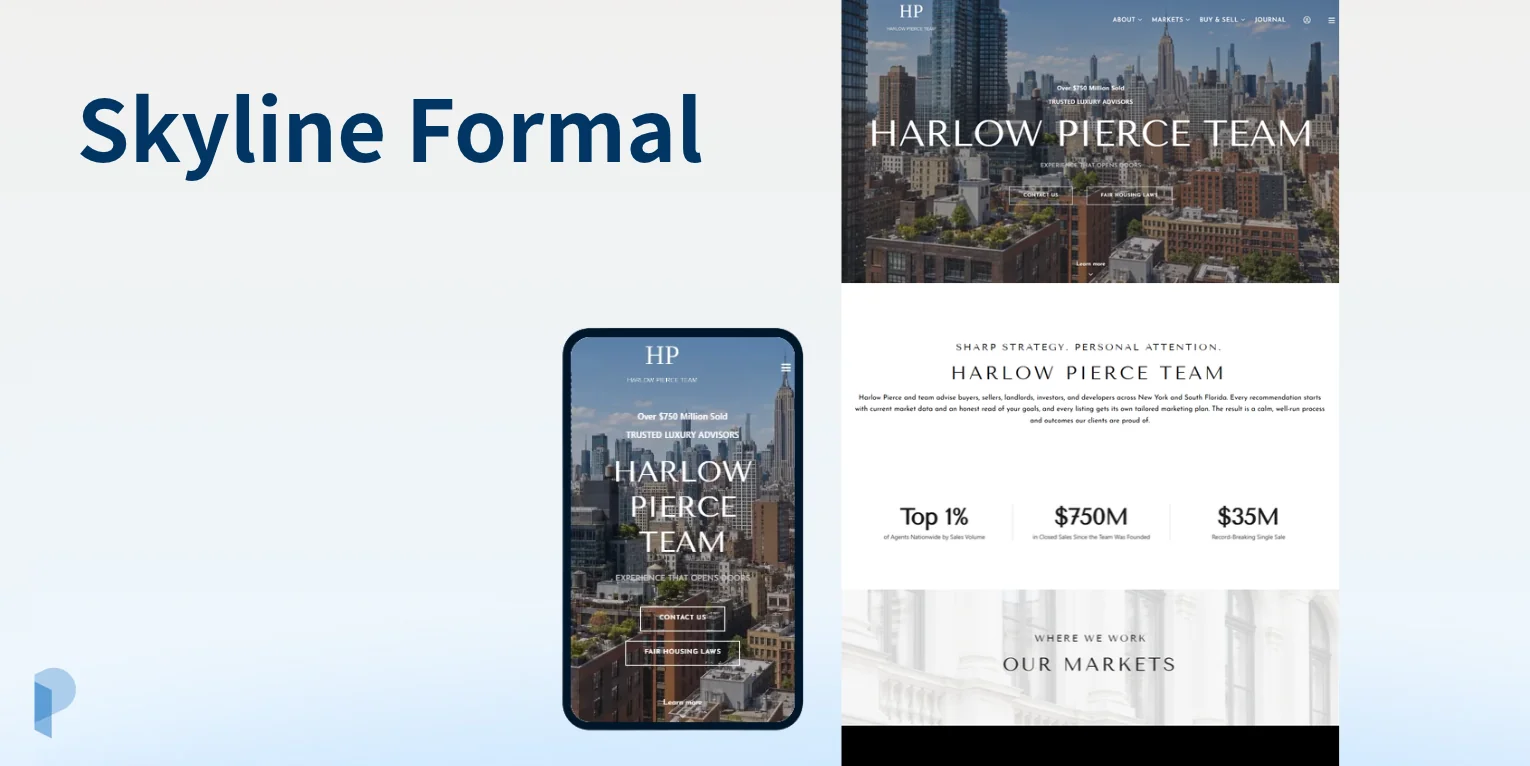
Skyline Formal: Polished city style
Skyline Formal opens with a wide video and formal typography that give it a polished city feel. Choose this design if you want the city you work in to be part of your website’s first impression.
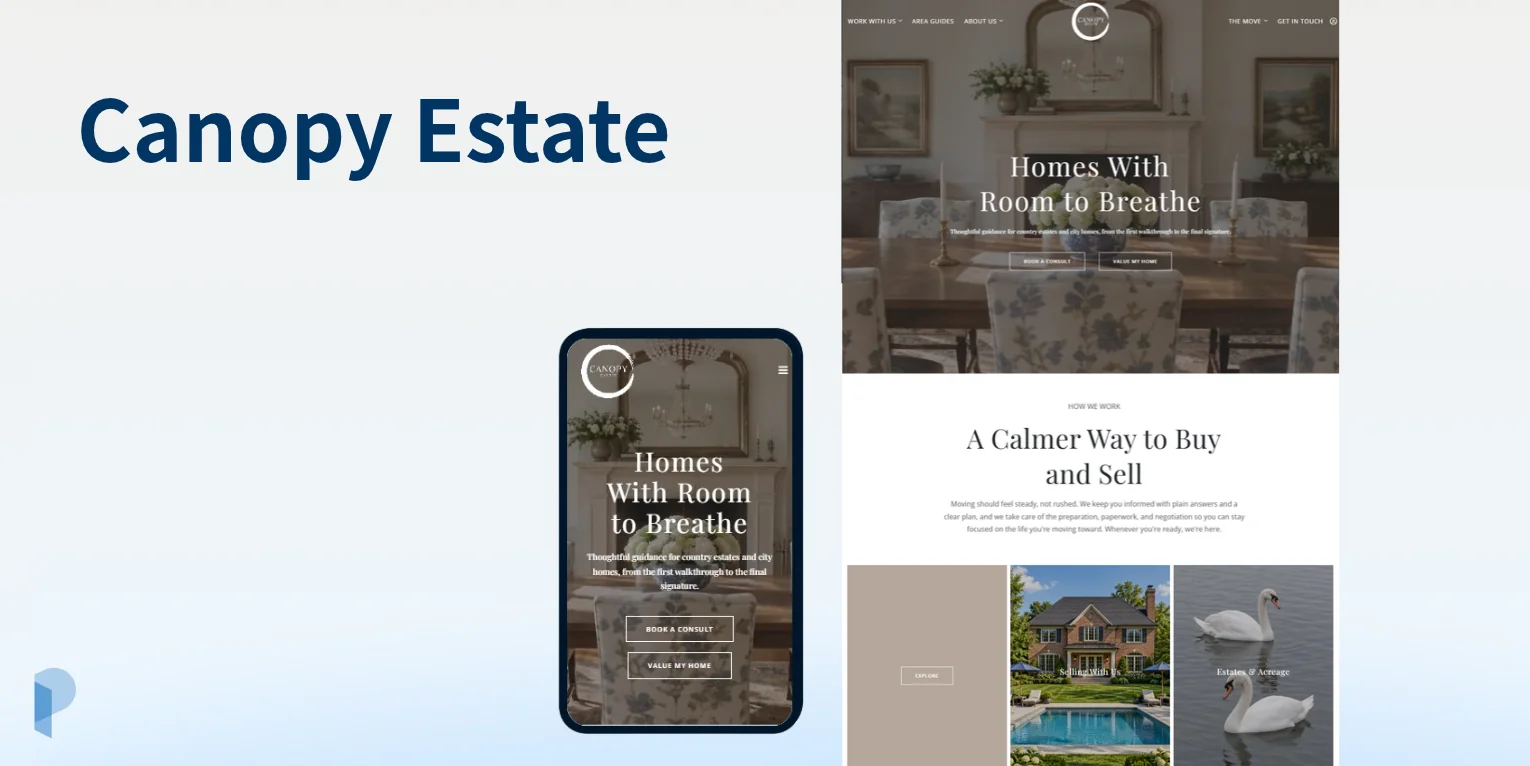
Canopy Estate: Timeless class
Canopy Estate pairs an earth-toned palette with a layout that gives your property photos plenty of space. It works especially well when there’s more to show than the home itself, like the grounds, outdoor living areas or views.
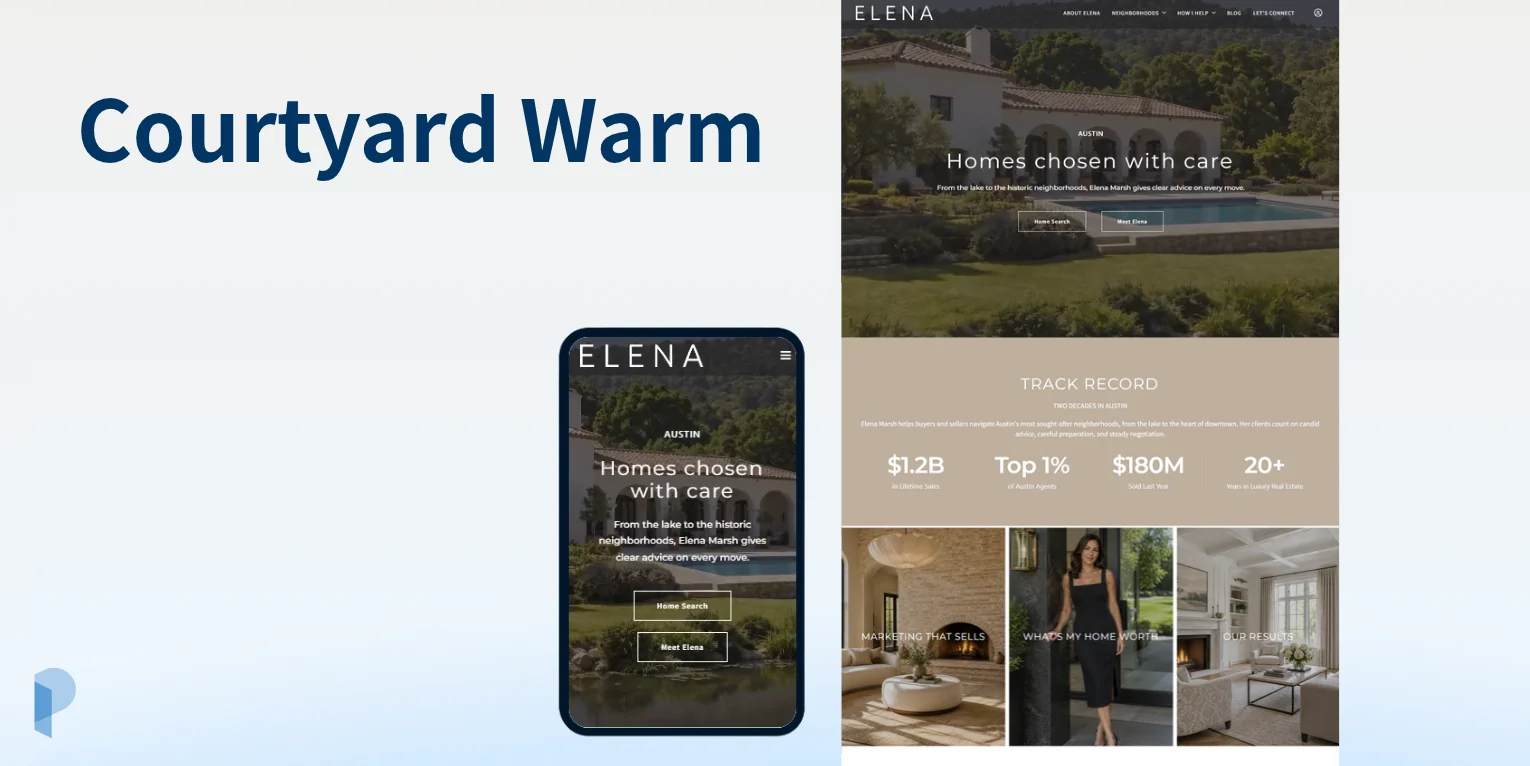
Courtyard Warm: Luxurious design
Soft, earthy tones and inviting photography give Courtyard Warm a luxurious feel. Use it to showcase high-end homes and help buyers picture what it’s like to live there.
Pick a design. Let AI build your first draft.
Found a design you like? Click Start with this design and Placester’s AI Website Builder takes it from there. In about five minutes, you’ll see your chosen layout and colors with your contact details, an About page and content about the markets you serve.
Want to swap a photo or try a different color? Ask the AI Website Editor to make the change or do it yourself with point-and-click controls. Our free trial lets you spend up to 14 days exploring and editing your site for free.
All 5 new designs are ready to try, alongside 29 more in our collection.
Your first draft is ready. What’s next?
You have 14 days to try your site for free. Swap a photo or tweak the copy with point-and-click controls, or tell the AI Website Editor what you’d like to change. If you get stuck, our support team can help.
If you want to keep your Placester website, choose a paid plan and connect the domain you want to use as your website address. To enable live listings, set up your MLS connection through our IDX. Then give your site one last look on desktop and mobile and hit Publish when you’re ready.
How to try the new designs
All five designs are ready to preview on desktop and mobile. We’re already working on more, so check back to see what’s new.
👉 Already with Placester? See a design you’d like to use? Reach out to our support team to talk through your options.
👉 New to Placester? Explore the new designs and click Start with this design to begin your 14-day free trial. Placester’s AI Website Builder will personalize the design you picked.